


Understanding the Difference Between UHS-I, UHS-II, UHS-III, and microSD Express: A Complete Guide
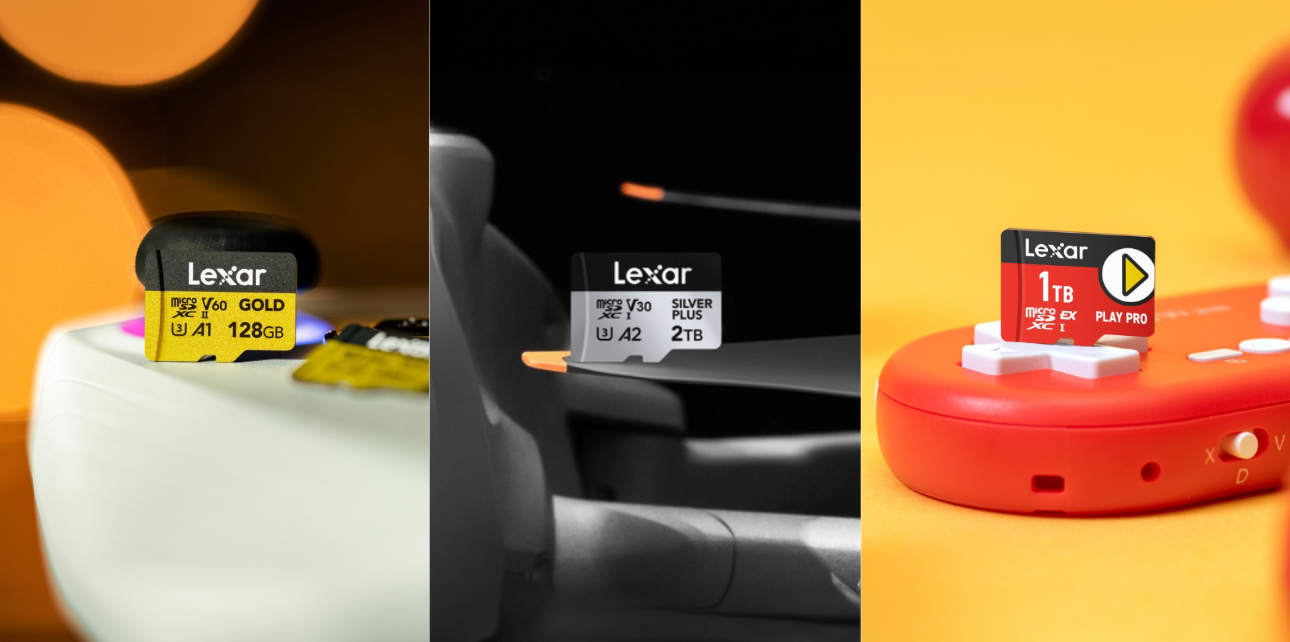
SD cards come in different bus interfaces and performance outputs. Therefore, for someone who is not an expert in the subject, choosing which one to buy can be an overwhelming experience. If you’re in the same boat, we’re here to help.
In this guide, we’ll explain the difference between different SD bus interfaces and speed classes and help you choose the right card for your device. So stay with us till the end!
What is an SD Bus Interface?
In the simplest explanation, an SD card bus interface is the communication system that transfers data between the SD card and your device. The speed and efficiency of data transfer depend on the bus interface. However, it does not determine the speed of the transfer. It just sets the maximum speed of data transfer.
To have a better understanding, you can think of the bus interface as a highway, and the data as the cars traveling on it. The bus interface (highway) has a maximum speed limit at which the data (cars) can travel. The more advanced the SD interface type is, the higher the maximum speed limit is.
As of today, almost all SD cards for cameras have UHS-I or UHS-II bus interfaces. However, some of the latest cameras and gaming consoles, like Nintendo Switch 2, require a more advanced bus interface, such as microSD Express.
Let’s see what these interfaces are and how they differ in terms of speed limit and efficiency.
UHS-I Interface
UHS is the abbreviation of ‘Ultra High Speed.’ As the name suggests, SD cards with a UHS interface offer faster reading and writing speed. In 2010, the SD Association announced UHS-I to meet the demand for higher resolution pictures and video recordings in cameras. With a single row of pins on the back of the SD card, UHS-I allows data transfer speeds up to 104MB/s. At that time, this was a huge upgrade from the previous SDHC bus interface that allowed a maximum data transfer speed of up to 25MB/s.
UHS-II Interface
A year later, in 2011, the SD Association announced UHS-II, which was an upgraded version of UHS-I, allowing a data transfer speed of up to 312MB/s. However, it was not until 2014 that top camera manufacturers like Fuji introduced digital cameras that could use the new high-speed interface. In its architectural design, UHS-II SD cards feature a second row of pins, which allows a higher speed of data transfer.
UHS-III Interface
UHS-III was released in 2017 by the SD Association, using two rows of pins to allow the maximum data transfer speed of 624MB/s. However, the UHS-III bus interface hasn’t received the same level of consumer adoption as the other UHS interfaces experienced. While the interface is backwards compatible with older devices, it is hard to find devices that support UHS-III. However, you can still use UHS-III cards in devices that are compatible with UHS-I or II but it won’t perform at its full potential.
microSD Express Interface
Similar to UHS-III, microSD Express cards also have two rows of pins, but the maximum speed limit surpasses all the previous editions. microSD Express uses PCIe Gen.3 or NVMe 1.3 technology that allows it to achieve the maximum data transfer speed of 985MB/s. The card was introduced in 2018, and since then, many newer devices have come equipped with microSD Express compatibility. You can identify microSD Express with an ‘EX’ sign on the card.
SD Card Speed Classes
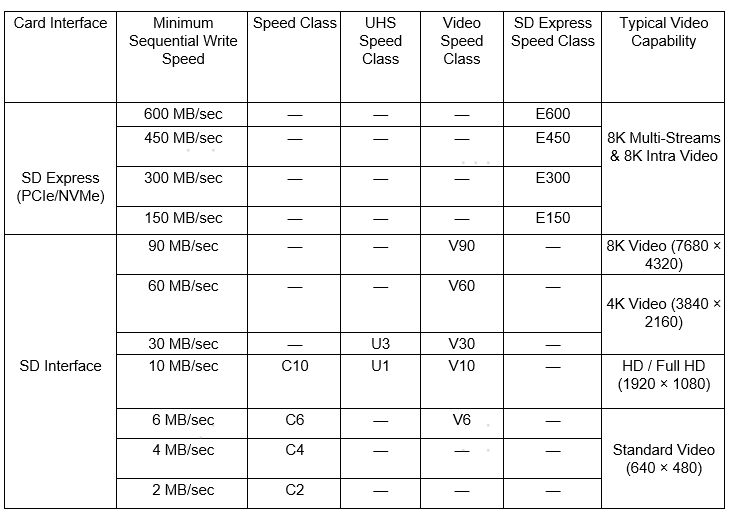
While the SD card bus interface sets the maximum speed limit of data transfer, speed classes indicate the minimum sequential write speed, which means the lowest guaranteed speed rate at which the SD card can store data without interruption. Speed class ratings are important for shooting high-resolution videos, where you would want to avoid frame drops and error interruptions during recording.
Speed classes are classified into four types: Speed Class, UHS Speed Class, Video Speed Class, and SD Express Speed Class.
Speed Class
The first SD card type is speed class, which is denoted by ‘C’ with a number inside the letter that represents the minimum sequential write speed. Speed class SD cards mainly feature four ratings: C2, C4, C6, and C10, where C2 represents the guaranteed write speed of 2MB/s and C10 represents the guaranteed write speed of 10MB/s.
The speed class ratings range from 2MB/s to up to 10MB/s and can support Standard Video to up to full HD video and sequential burst photos.
● C2: 2 MB/s (Standard Definition video)
● C4: 4 MB/s (720p/1080p video)
● C6: 6 MB/s (1080p video)
● C10: 10 MB/s (Full HD video and sequential burst photos)
UHS Speed Class
If you’re a content creator looking to shoot 4K videos (3840 × 2160), then Speed Class ratings won’t be sufficient for your needs. That’s when the SD Association introduced UHS Speed Class ratings in 2009 to meet the advanced requirements of 4K video shooting. UHS Speed Class is only available in two ratings: UHS Speed Class 1, which is denoted by U1, and UHS Speed Class 3, which is denoted by U3 on the card.
UHS Speed Class 1 allows the minimum sequential write speed of 10MB/s and can only support up to Full HD video recording. On the other hand, UHS Speed Class 3 has a minimum sequential write speed of 30MB/s and can support up to 4K video recordings.
● U1: 10MB/s (Full HD video)
● U3: 30MB/s (4K video)
Video Speed Class
Video Speed Class was introduced in 2016 to meet the progressive demands of high-end cameras and professional video shooting. Video Speed Class is denoted by the letter V on the card, followed by a number that represents the minimum sequential write speed it offers.
● V6: 6MB/s (Standard Video)
● V10: 10MB/s (Full HD video)
● V30: 30MB/s (4K Video)
● V60: 60MB/s (4K Video)
● V90: 90MB/s (8K Video)
SD Express Speed Class
Recently introduced in 2023, SD Express Speed Class only applies to SD or microSD Express cards and is denoted by the letter E. SD Express Speed Class features a minimum sequential write speed of 150MB/s, 300MB/s, 450MB/s, and 600MB/s, making it suitable to record 8K multi-streams and 8K intra video, as well as playing high-end games in your handheld gaming devices, which typically requires high sequential write speed.
Choosing the Best SD Card for Your Device
Now that you know the difference between UHS-I, UHS-II, UHS-III, and microSD Express, the next thing is choosing the card that offers the best bang for the buck. Before looking for SD cards, you first need to understand your use. Do you want to use it for professional 8K videography or want it for casual, daily use?
When to Choose UHS-I
UHS-I cards are best for everyday use. These cards are budget-friendly and suitable for recording up to 4K video at 60P or capture high-resolution images. Moreover, you can also use UHS-I SD cards in handheld gaming devices, like Nintendo Switch, and enjoy a smooth gaming experience.
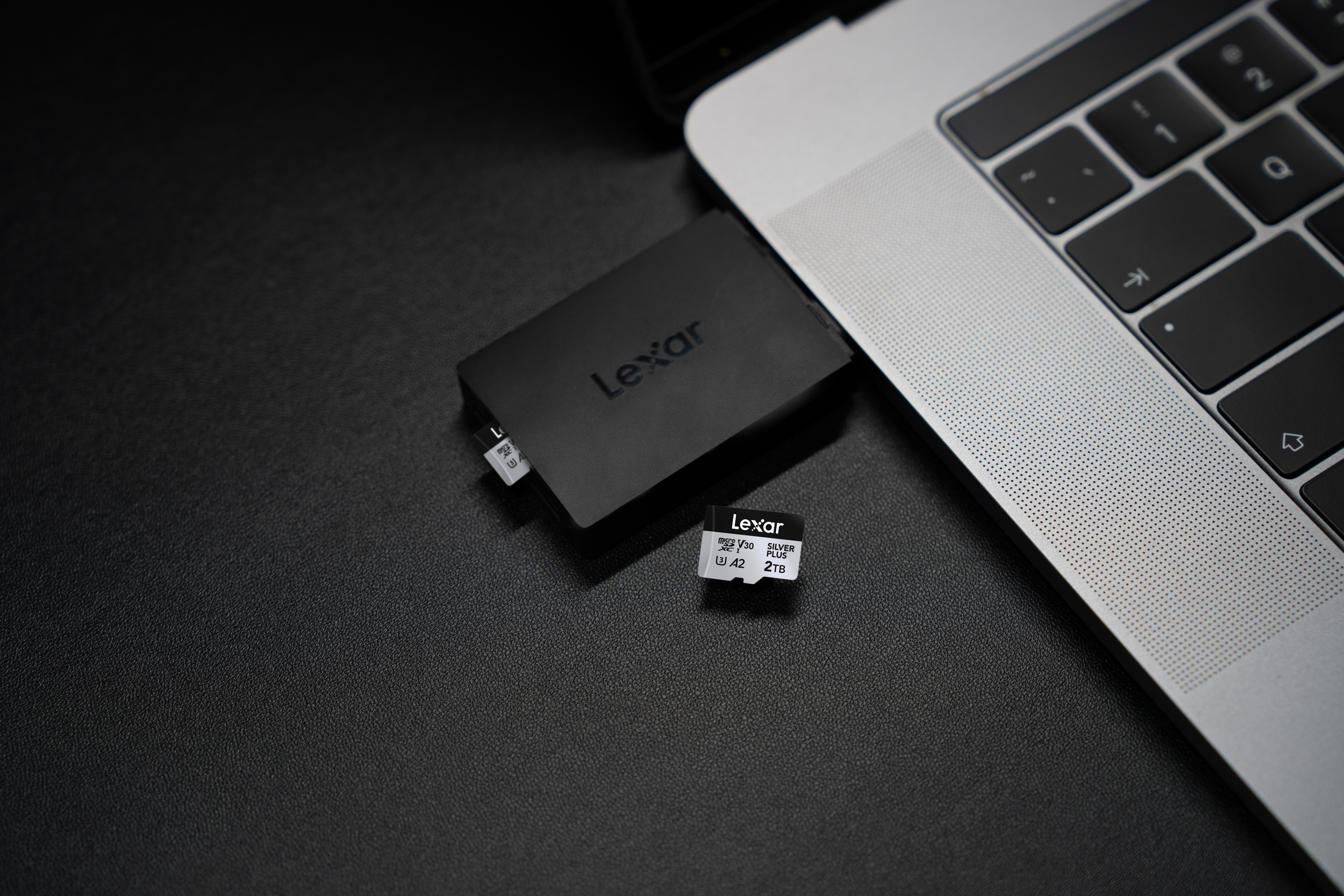
Our best pick for UHS-I SD card is Lexar Professional SILVER PLUS microSDXC, offering read speeds of up to 205MB/s and write speeds of up to 150MB/s. As the official recommended memory card of DJI, it has passed DJI’s rigorous testing and is compatible with multiple DJI devices. Paired with the Lexar RW310x reader, its blazing-fast read speeds are fully achieved, significantly reducing wait times for data transfers. With capacities of up to 2TB available, it is a practical option for users who need plenty of space for videos, photos, games, and everyday files. The 2TB model also delivers upgraded speeds of up to 255MB/s read and 180MB/s write, making it a reliable choice for users with demanding needs for both high-capacity and high-speed storage.
When to Choose UHS-II
On the other hand, UHS-II cards are designed for specific purposes, such as recording in 4K, 6K, or 8K resolution. If you’re a content creator who has to record high-quality videos, we recommend you get a UHS-II card. The main difference between UHS-I and UHS-II SD cards is that UHS-II allows 4K recordings at 120P while UHS-I allows 4k at 60P.
However, to use your UHS-II SD card to its full potential, make sure that your device is UHS-II compatible. While UHS-II memory cards do offer backward compatibility, it’s best to buy a UHS-I SD card if your device is not compatible with UHS-II.
Moreover, when purchasing a memory card for your device, you have to be cautious and only buy from reputable stores. There are many fake or counterfeit cards out there that are reprogrammed to show larger storage capacity or higher speed class.
We recommend purchasing Lexar Professional GOLD microSDXC UHS-II Card only from our official or licensed store. The card is great for professional videography with 4K resolution at 120P and is even suitable for handheld gaming devices like ROG Ally.
When to Choose UHS-III
Unlike UHS-I and UHS-II, UHS-III cards soon became unpopular among consumers and camera manufacturers. As of today, it is rare to find devices that are compatible with UHS-III, mainly because UHS-III SD cards were overshadowed by newer technology like microSD Express. Although UHS-III also offers backwards compatibility, it’s recommended to get a UHS-II or the newer tech microSD Express.
When to Choose microSD Express
The microSD Express SD card offers extremely high read speed reaching up to 900MB/s, making it ideal for the latest smartphones, tablets, and next-gen devices that require large-scale storage and fast data transfer, such as Nintendo Switch 2.
The PLAY PRO microSDXC Express Card from Lexar has been the standout choice for many users. With a data transfer speed of up to 900MB/s, the PLAY PRO microSDXC allows quicker game boot-ups, smoother transitions, and fast downloads. If you want to experience high-end gaming without any lags or frame drops, it’s worth investing in a microSD Express card, such as the PLAY PRO microSDXC.
Frequently Asked Questions
Is UHS-II faster than UHS-I?
Yes, UHS-II is faster than UHS-I. UHS-II has a maximum theoretical data transfer speed of 312MB/s while UHS-I offers a maximum theoretical data transfer speed of 104MB/s.
What are the 4 types of SD cards?
Based on storage capacity, the 4 types of SD cards are SDSC (Secure Digital Standard Capacity), SDHC (Secure Digital High Capacity), SDXC (Secure Digital Extended Capacity, and SDUC (Secure Digital Ultra Capacity).
● SDSC: Up to 2GB storage capacity
● SDHC: Up to 32GB storage capacity
● SDXC: Up to 2TB storage capacity
● SDUC: Up to 128TB storage capacity
Which is better, UHS-I or UHS-II?
UHS-I has a single row of pins while UHS-II offers two rows, allowing data to move much more efficiently. In terms of performance, UHS-II surpasses the older UHS-I technology. However, to know which one is better for you in terms of best value for money, you need to look at your device compatibility and daily use.
Conclusion
All in all, there's a wide variety of SD cards available with different interfaces and compatibility. It’s important to know which card will be compatible with your device and offer the most value for money.
If your workflow includes recording high-resolution videos, faster data transfers, or frequent backups, then UHS-II is the clear choice. However, if you’re a casual user, UHS-I cards will give you a solid balance of performance and price. If you’re looking for an SD card for a smooth gaming experience, then microSD Express is the best bet.
With that said, we hope this guide solves all your confusions about SD card interfaces. If you’re ready to buy an SD card for your device, visit Lexar to shop best performing products!